Skip to content
Stippa
FeaturesPricingDemoHelpContact
Log inStart free
Troubleshooting

An appointment seems to have disappeared

What to do when an appointment is no longer visible in the dashboard or the schedule.

2 min read

Appointments are being filtered
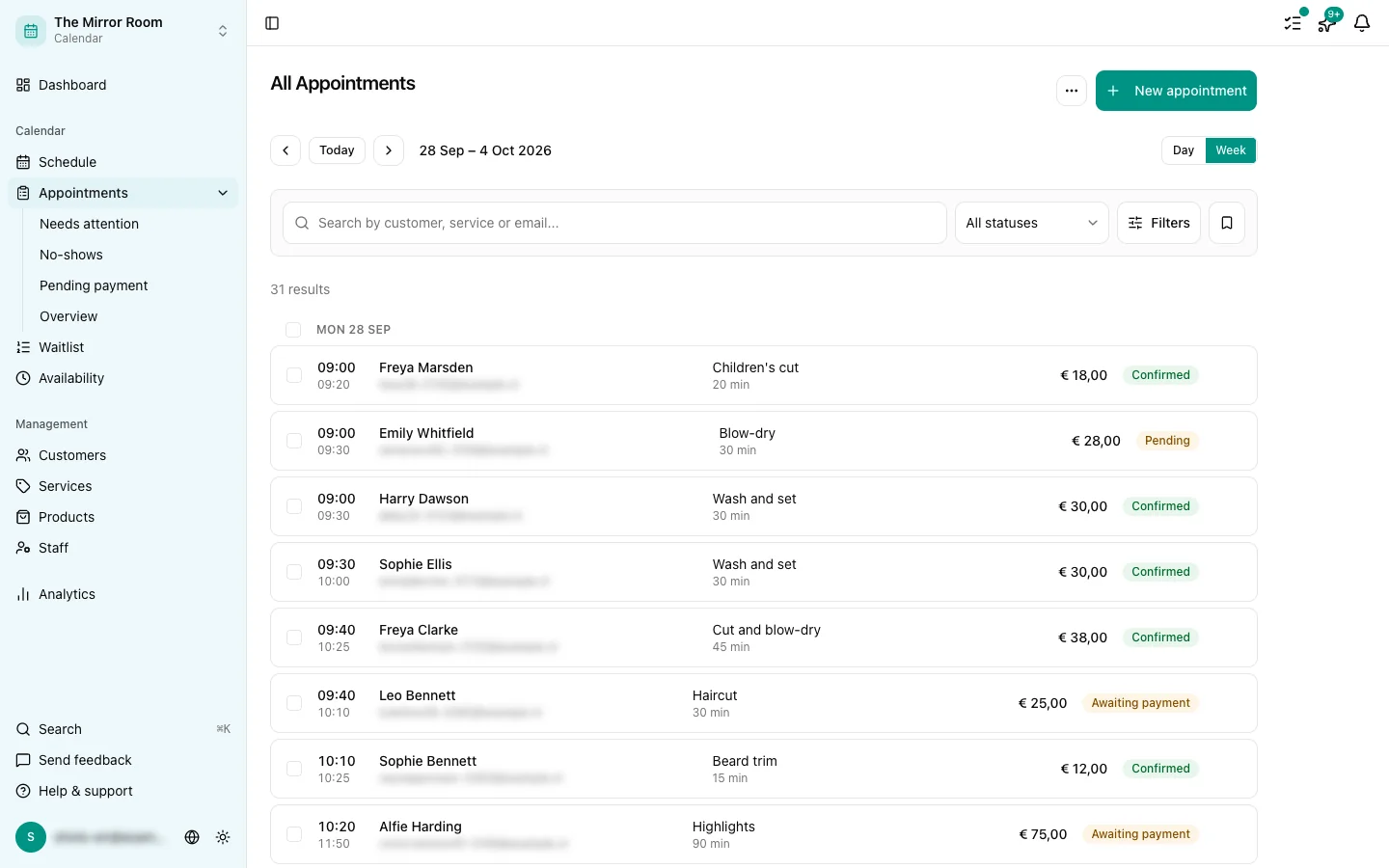
The appointments overview with its filter and search bar

By far the most common reason an appointment looks "gone" is a filter that is still on. Check these:

The status filter

The appointments overview lets you filter by status. Filtering on "Confirmed" hides cancelled and no-show appointments. Set the filter to All to see everything.

The date filter

Check the date range on the overview. You may be looking at a different period from the one you expect.

The search box

With a search term in the box, only matching appointments are shown. Clear the box to see them all.

The appointment was cancelled

Cancelled appointments are hidden from the schedule by default, but they are still in the appointments overview. Look for the ones with status Cancelled.

The appointment was never created

If a customer says they booked and there is nothing in the system, one of these happened:

  • The payment failed and the appointment was never confirmed
  • The customer did not finish the booking flow
  • Something went technically wrong during booking

Ask the customer to check for a confirmation email. If they have one, the appointment exists. If they do not, the booking never completed.

Still cannot find it?

Get in touch through the feedback button, with the customer's email address and the date you expect the appointment to be on.

Updated: 17 May 2026

Was dit artikel nuttig?

Related articles

  • Managing appointments: editing, cancelling, rescheduling
  • Appointment statuses explained

In this article

  • Appointments are being filtered
  • The status filter
  • The date filter
  • The search box
  • The appointment was cancelled
  • The appointment was never created
  • Still cannot find it?
Stippa

Appointment scheduling, without the hassle.

Start 14 days free

Product

  • Features
  • Pricing
  • Demo
  • FAQ
  • Contact
  • System status

Features

  • Booking widget
  • Online payments
  • Reminders
  • No-show prevention
  • Online calendar
  • Your own website
  • Client management

For whom

  • For salons
  • Beauty salons
  • Physiotherapists
  • Coaches
  • Personal trainers
  • Barbershops
  • Nail salons
  • Pedicurists
  • Massage salons

Legal

  • Privacy policy
  • Terms of service
  • Data processing agreement

© 2026 Stippa. All rights reserved.

De Rechter Software · Molenwater 20, 4511 BN Breskens · KvK 98466402 · btw NL005332100B80

······
Start 14 days free

14 days free. No card needed.