Skip to content
Stippa
FeaturesPricingDemoHelpContact
Log inStart free
Appointments

Managing appointments: editing, cancelling, rescheduling

How to change, move or cancel an existing appointment from the dashboard.

2 min read

Finding appointments
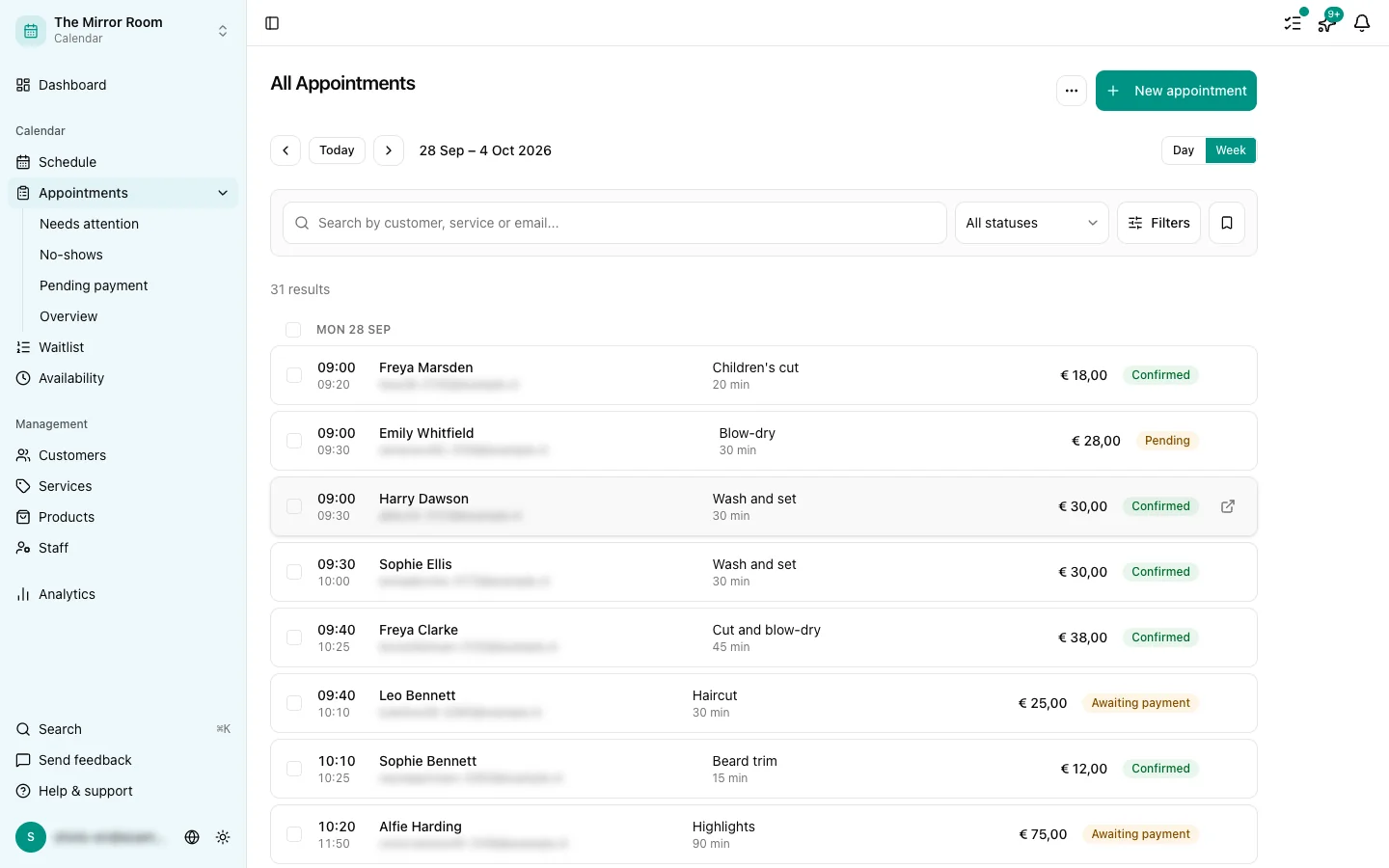
The appointments overview in the dashboard

Every appointment is under Appointments in the menu. You can filter by date, status or customer.

The Schedule shows the same appointments in a calendar.

Editing an appointment
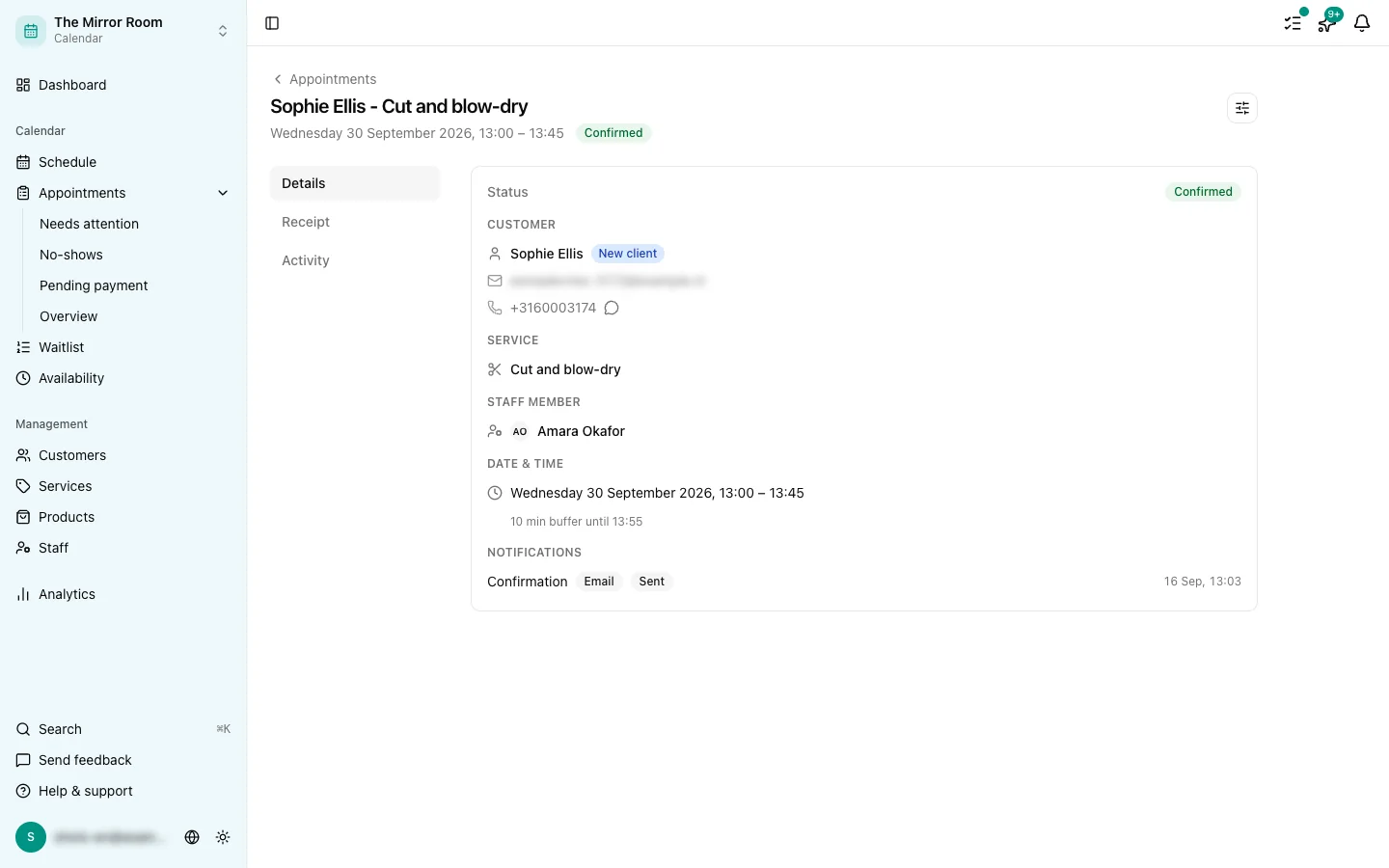
The appointment detail panel with its edit button and status badge

Click an appointment to open its detail page, then click Edit.

You can change:

  • The date and time
  • The service
  • The staff member, if you have any. Use Change staff member to reassign it
  • The notes

Click Save when you are done. The customer gets no automatic notification of the change unless you send one yourself.

Cancelling an appointment

Open the appointment and click Cancel. You can give a reason, and choose whether to send the customer a cancellation email.

Cancelled appointments stay visible in the overview with status Cancelled.

Rescheduling an appointment

Rescheduling is editing: open the appointment, change the date or the time, and save. There is no separate "reschedule" button.

Marking an appointment as a no-show

If a customer does not turn up, you can set the status to No-show yourself. It changes nothing about that customer's other appointments, past or future, but it is counted in your analytics.

Managing appointments in bulk

For now appointments are handled one at a time. There is no bulk action.

Updated: 17 May 2026

Was dit artikel nuttig?

Related articles

  • Appointment statuses explained
  • How customers change or cancel their own appointment

In this article

  • Finding appointments
  • Editing an appointment
  • Cancelling an appointment
  • Rescheduling an appointment
  • Marking an appointment as a no-show
  • Managing appointments in bulk
Stippa

Appointment scheduling, without the hassle.

Start 14 days free

Product

  • Features
  • Pricing
  • Demo
  • FAQ
  • Contact
  • System status

Features

  • Booking widget
  • Online payments
  • Reminders
  • No-show prevention
  • Online calendar
  • Your own website
  • Client management

For whom

  • For salons
  • Beauty salons
  • Physiotherapists
  • Coaches
  • Personal trainers
  • Barbershops
  • Nail salons
  • Pedicurists
  • Massage salons

Legal

  • Privacy policy
  • Terms of service
  • Data processing agreement

© 2026 Stippa. All rights reserved.

De Rechter Software · Molenwater 20, 4511 BN Breskens · KvK 98466402 · btw NL005332100B80

······
Start 14 days free

14 days free. No card needed.