
Which emails go out automatically?
Stippa sends these messages by itself. Each has its own switch under Management > Email & messages > Customer messages.
| Message | When | Default |
|---|---|---|
| Received, not yet confirmed | Straight after an online booking you still have to confirm | On |
| Confirmation | As soon as the appointment is fixed | On |
| Reminder | About a day before the appointment | On |
| Rescheduled | When the date or time of the appointment changes | On |
| Cancellation | When the appointment is cancelled | Off |
| No-show follow-up | After somebody didn't turn up | Off |
Received, not yet confirmed and Confirmation share one switch: turn one off and the other goes with it.
Three messages only go out in a particular situation. Stippa sends Verify email address only if you've switched on email verification for online bookings. A Reschedule proposal and a Payment receipt only go out when you send them.
When does the reminder go out?
The email reminder goes out about 24 hours before the appointment. You can't change that timing.
If you want a different moment, use the WhatsApp reminder. You can set it anywhere from 1 to 48 hours ahead, on the WhatsApp tab under Management > Email & messages. For that you need the WhatsApp module, from the Groei plan up.
How do I change the emails?
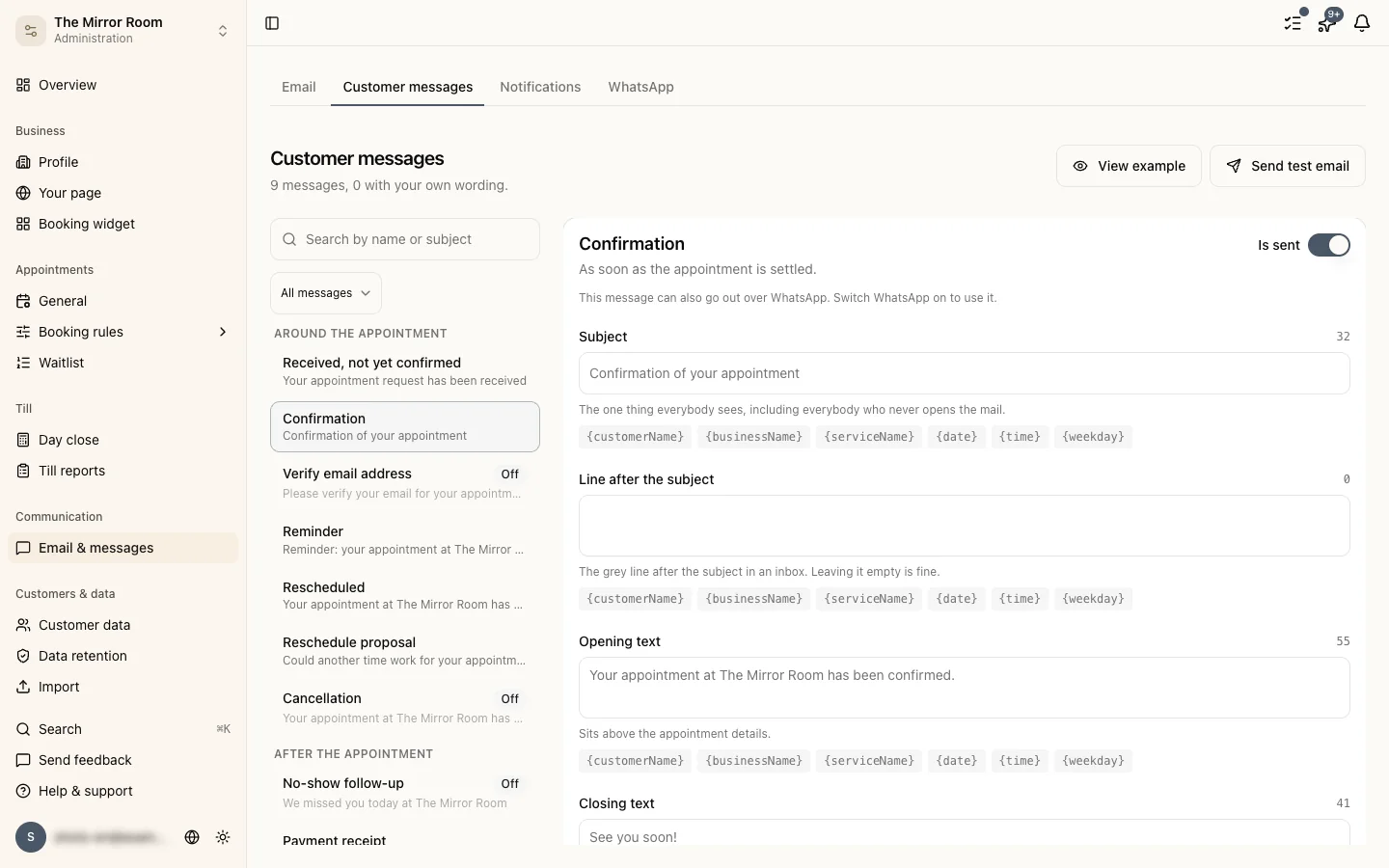
Go to Management > Email & messages > Customer messages and pick a message. There you can:
- Switch the message on or off
- Write the subject, the opening text and the closing in your own words
- Use View example to see what the email looks like
- Use Send test email to send the message to your own email address
Leave a field empty and Stippa uses the standard text. Writing your own text is available from the Groei plan up.
Can I use my own branding?
You set the colour of the email header on the Email tab under Management > Email & messages, from the Starter plan up. That's also where the sender name and the reply-to address are. Your own logo in the email isn't possible yet.
Does the customer get an email for every status change?
No. Only the messages above go to the customer. If you set an appointment to No show, the customer only gets something if you've switched on the no-show follow-up.