Skip to content
Stippa
FeaturesPricingDemoHelpContact
Log inStart free
Availability

Setting your weekly availability

How to set your working days and hours, what the slot interval does, and how to save.

2 min read

Where do I find the availability settings?
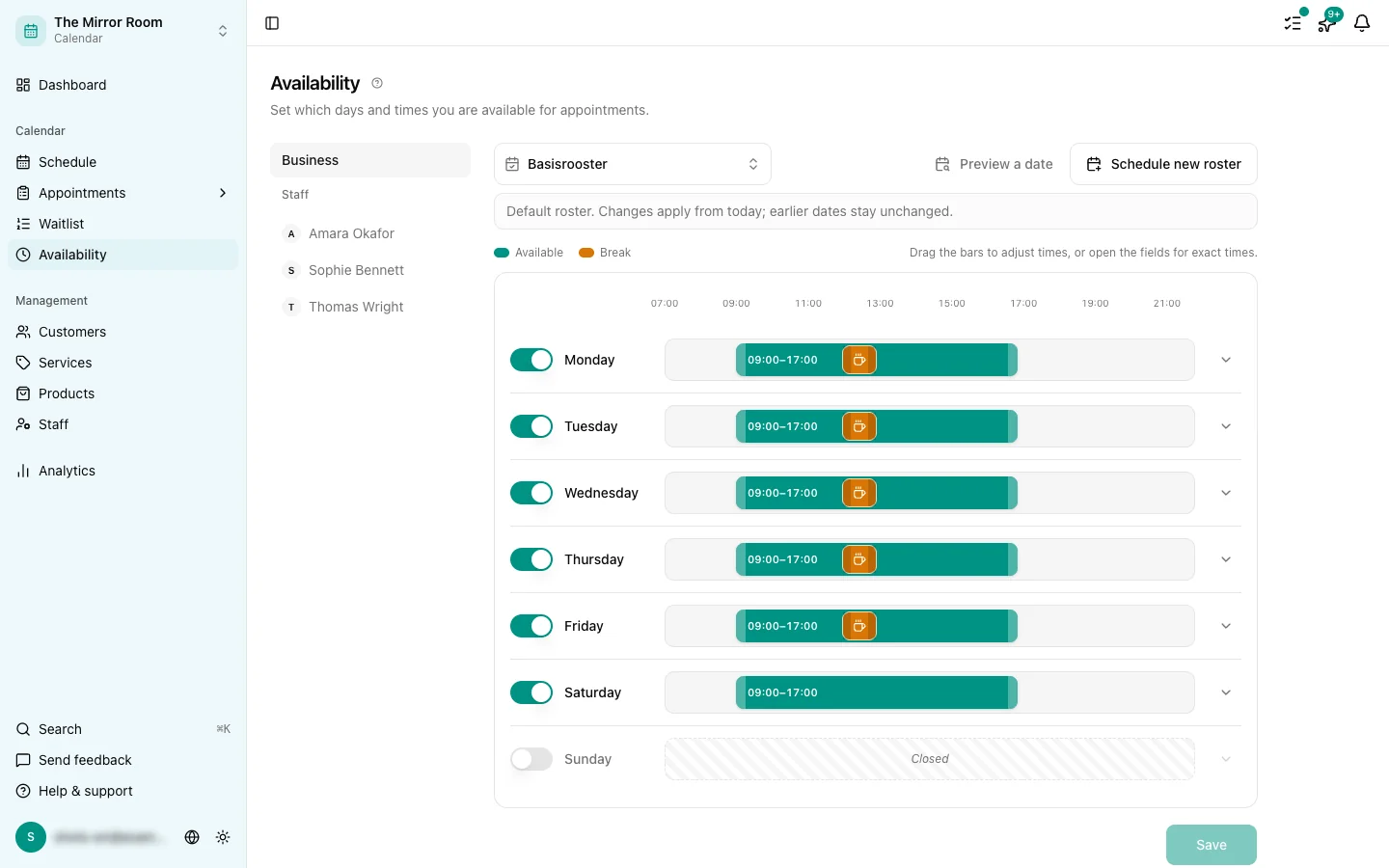
The weekly availability grid

Go to Availability in the sidebar. You get a week at a glance, with an on/off switch and time fields for every day.

Step 1: Pick your working days

Use the switch beside each day to say whether you work that day. Days that are switched off cannot be booked.

Step 2: Set a start and an end time
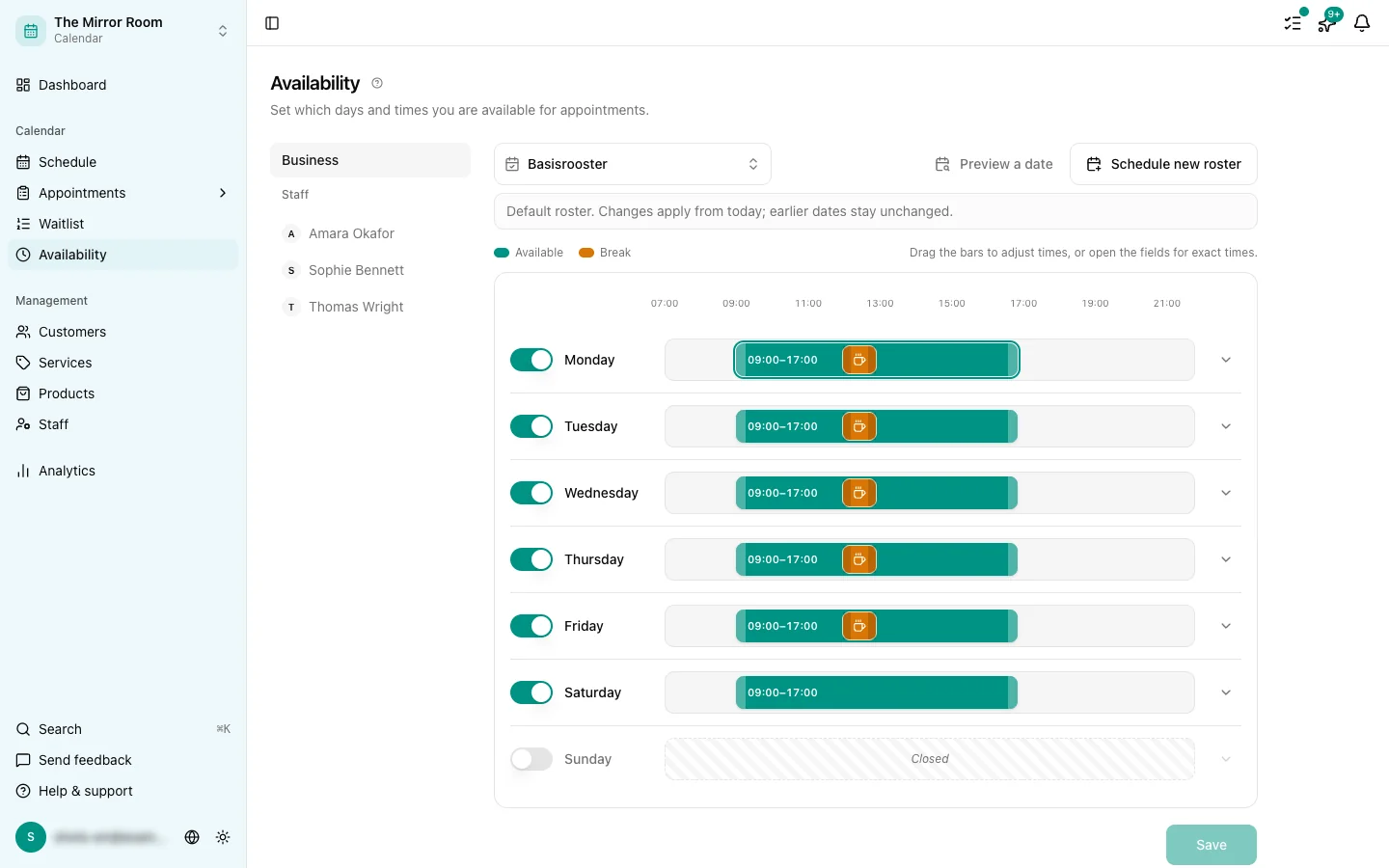
Editing the time field for a working day

For each day you switched on, say from when until when you work. Click the time field and type the time.

For example: Monday from 09:00 to 17:00.

Step 3: Set the slot interval

The slot interval decides the spacing between the time slots on offer. With a 30-minute interval a customer sees 09:00, 09:30, 10:00, and so on.

The interval is 15 minutes by default. Change it under Availability > Slot interval.

Step 4: Save

Click Save to keep your schedule. Changes take effect immediately for new bookings. Appointments that already exist are left alone.

More than one block of time per day

For now we support one block of time per day. If you take a lunch break, or want to split morning and afternoon, set the start a little later and the end a little earlier, or use exceptions for specific dates.

Tips

  • Remember to set your time zone under Settings > Business
  • After saving, open your booking link to see the slots your customers see

Updated: 17 May 2026

Was dit artikel nuttig?

Related articles

  • What is the slot interval?
  • Adding one-off closures and exceptions
  • Your first 5 minutes: the setup checklist

In this article

  • Where do I find the availability settings?
  • Step 1: Pick your working days
  • Step 2: Set a start and an end time
  • Step 3: Set the slot interval
  • Step 4: Save
  • More than one block of time per day
  • Tips
Stippa

Appointment scheduling, without the hassle.

Start 14 days free

Product

  • Features
  • Pricing
  • Demo
  • FAQ
  • Contact
  • System status

Features

  • Booking widget
  • Online payments
  • Reminders
  • No-show prevention
  • Online calendar
  • Your own website
  • Client management

For whom

  • For salons
  • Beauty salons
  • Physiotherapists
  • Coaches
  • Personal trainers
  • Barbershops
  • Nail salons
  • Pedicurists
  • Massage salons

Legal

  • Privacy policy
  • Terms of service
  • Data processing agreement

© 2026 Stippa. All rights reserved.

De Rechter Software · Molenwater 20, 4511 BN Breskens · KvK 98466402 · btw NL005332100B80

······
Start 14 days free

14 days free. No card needed.