
What are WhatsApp reminders?
WhatsApp reminders are messages sent automatically to the customer shortly before an appointment. They work alongside the email reminder and reach customers through the channel they use most.
Available on the Pro plan.
What you need
- An active Pro subscription
- A connected WhatsApp Business number
- Approved message templates
Step 1: Connect your WhatsApp number
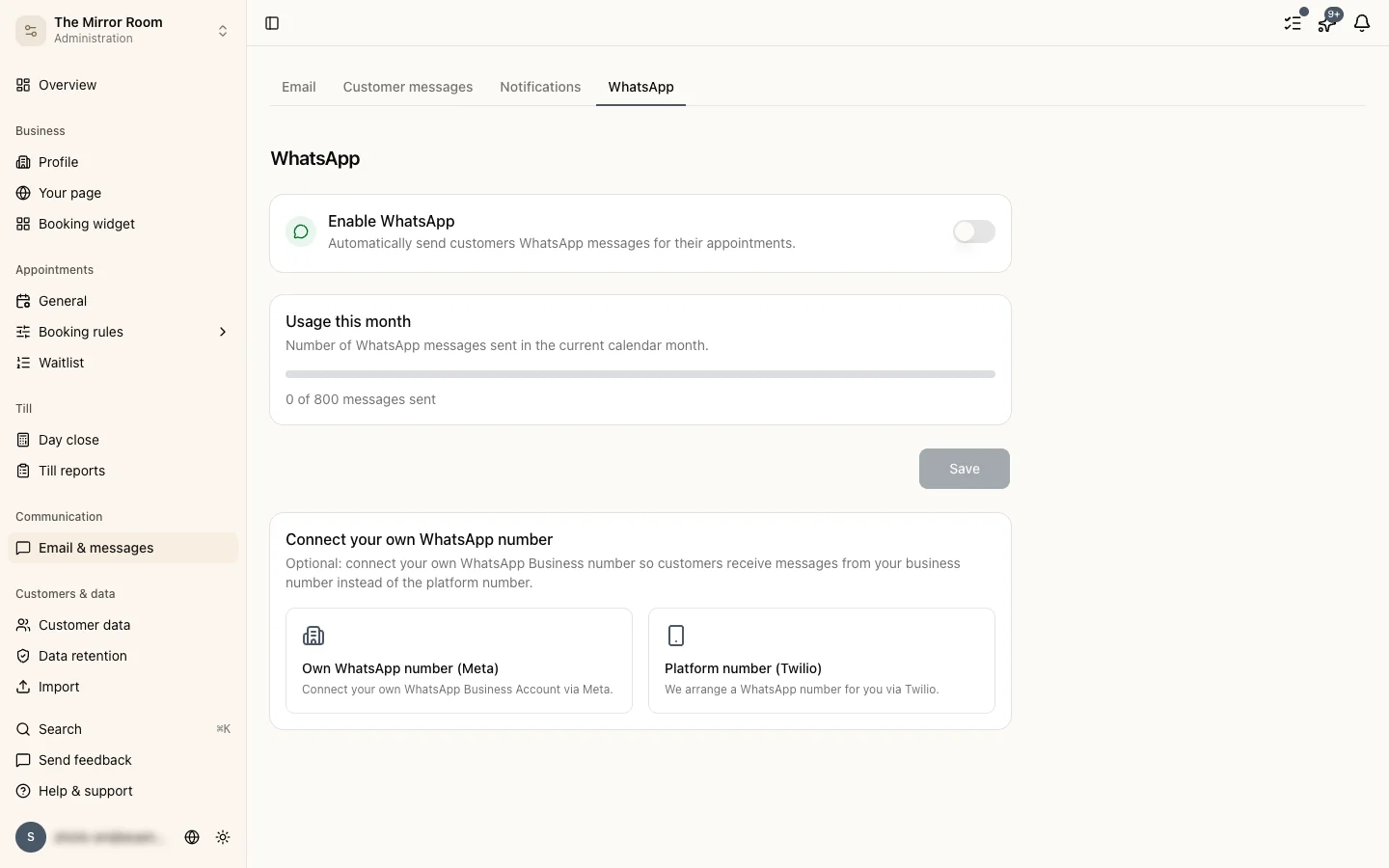
Go to Settings > WhatsApp. You have two options:
- Through Meta (your own number): connect an existing business number through Meta's Embedded Signup.
- Through Twilio (a new number): request a new WhatsApp Business number through Twilio.
Follow the instructions on screen to complete and verify the connection.
Step 2: Templates
WhatsApp requires pre-approved message templates for outbound messages. Stippa supplies standard templates you can use straight away. Approval by Meta can take 24 to 48 hours.
Step 3: Switch reminders on per service
Switch WhatsApp reminders on for the services you want to use them for. Open the service through Services > [service] and turn the switch on.
When are messages sent?
24 hours before the appointment by default. You can change the timing under Settings > WhatsApp.
Monthly message limit
Depending on your plan there is a monthly limit on the number of messages you can send. You can see your usage and your limit under Settings > WhatsApp.
Can a customer reply?
Incoming WhatsApp messages from customers are received by Stippa. You get a notification about them in the dashboard.