
Who can invite team members?
Only owners and admins can invite new team members. Employees can see who is on the team but have no management access.
Step 1: Go to Team
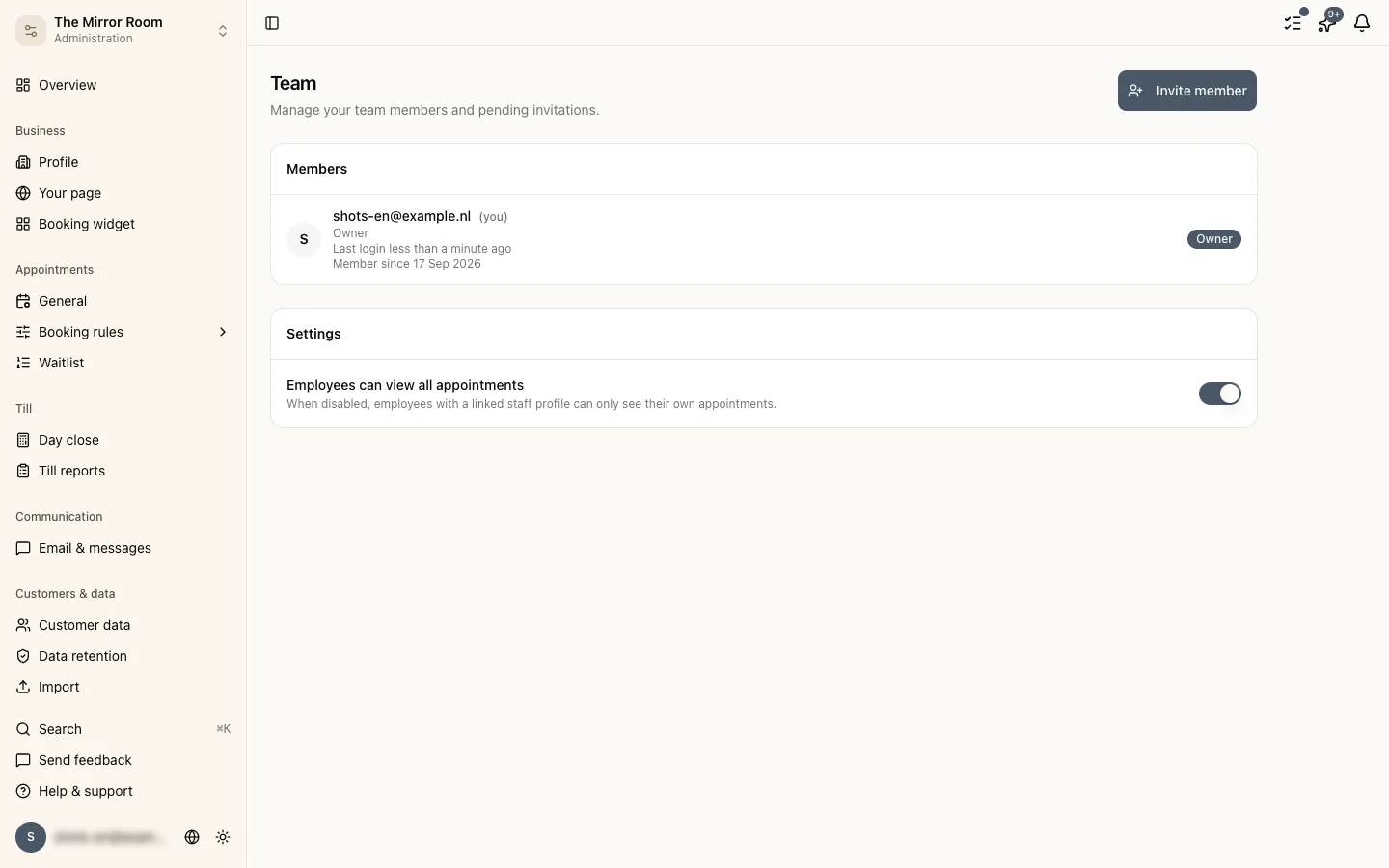
Go to Settings > Team. You get every current team member with their role and status.
Step 2: Send an invitation
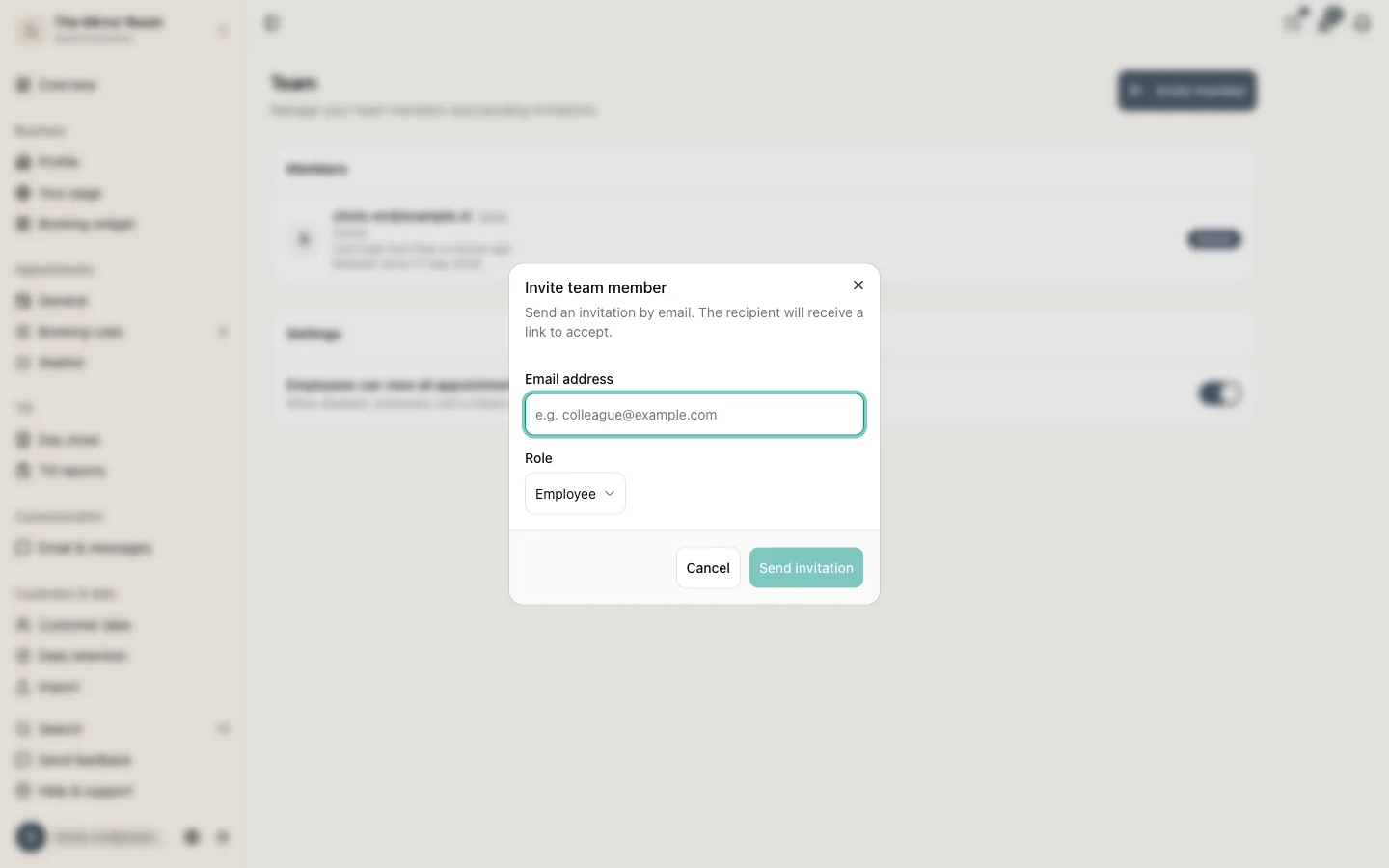
Click Invite team member. Enter the email address of the person you want to add and pick a role:
- Admin: almost the same permissions as you
- Employee: can look at the calendar but change nothing
Click Send invitation. They get an email with an invitation link.
Step 3: Accepting the invitation
The person you invited clicks the link in the email. If they have no Stippa account yet, they can create one there and then. They are active the moment they accept.
Outstanding invitations
An invitation nobody has accepted sits in the list marked Pending. You can resend it or withdraw it.
Removing a team member
Click the person and choose Remove from team. They lose all access immediately. Appointments they were part of stay exactly as they are.
Limits
How many team members you can add depends on your plan. See also: Plans and limits.