Skip to content
Stippa
FeaturesPricingDemoHelpContact
Log inStart free
Product updates
New24 August 2026

Handling several appointments at once

Tick appointments in the list and cancel, confirm or export them in one go.

Calling off a day because you are ill meant opening every appointment separately and cancelling it separately.

What is new

In the appointment list you can tick rows. A bar then appears at the bottom with what you can do with that selection: cancel, confirm, export, or move on to Rebook.
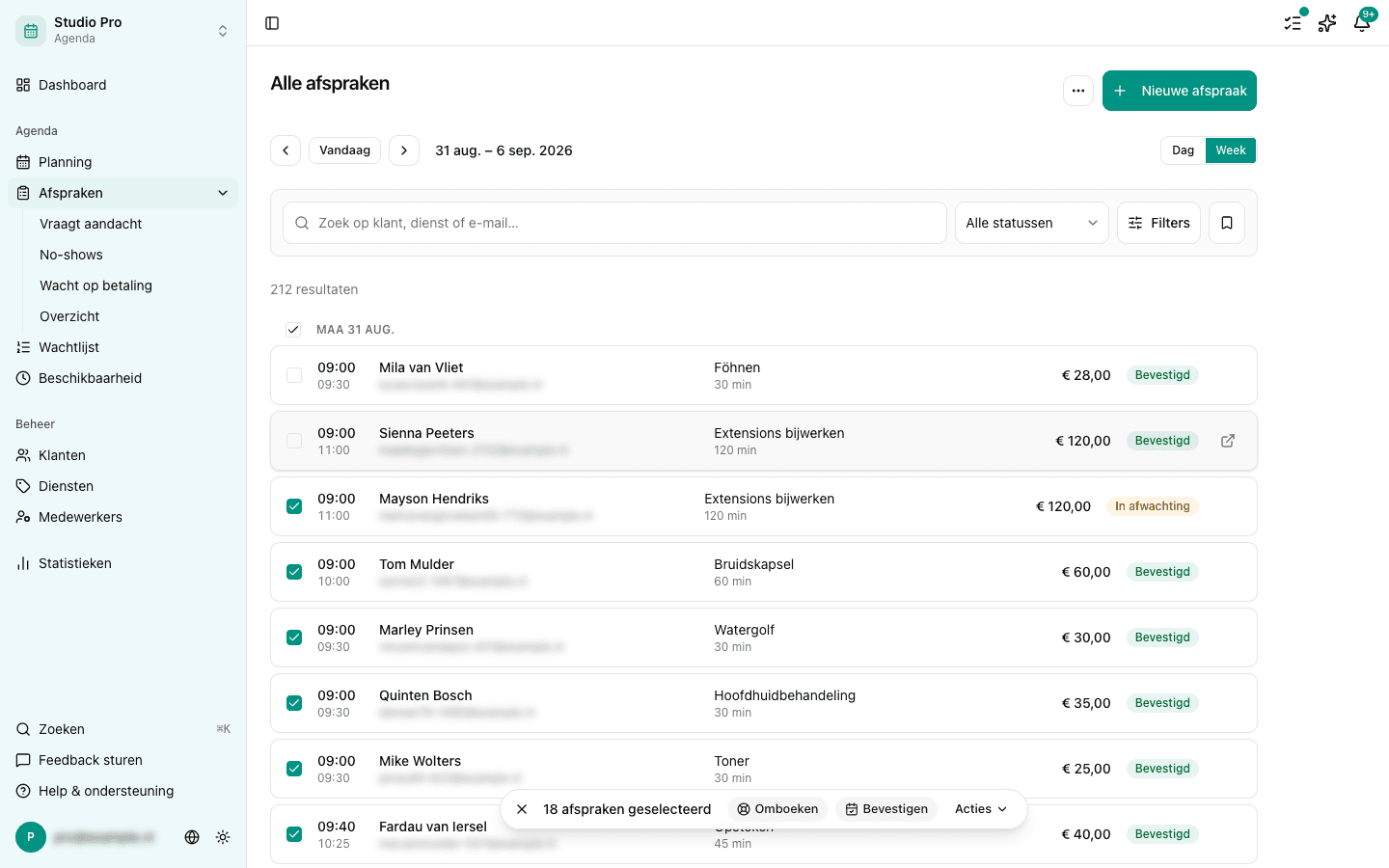
The appointment list with eighteen rows ticked and the bar along the bottom holding Rebook, Confirm and Actions

When you cancel, the confirmation dialog asks whether you want to inform customers, and that then applies to the whole selection.

Nine worked, two did not

That is the normal outcome, not a fault. Move ten at once and two of them run into something else in the calendar, and you hear exactly which two and why, and those two stay ticked so you can pick them up afterwards. The eight that did work are simply done.

⚠️

Recurring appointments cannot have their status changed in bulk. On an appointment like that you first have to choose whether you mean just this one, this one and the ones after it, or the whole series, and that is a question a bulk confirmation cannot ask.

More about this in the help centre

  • Managing appointments: editing, cancelling, rescheduling
  • Appointment statuses explained

In this article

  • What is new
  • Nine worked, two did not
Stippa

Appointment scheduling, without the hassle.

Start 14 days free

Product

  • Features
  • Pricing
  • Demo
  • FAQ
  • Contact
  • System status

Features

  • Booking widget
  • Online payments
  • Reminders
  • No-show prevention
  • Online calendar
  • Client management

For whom

  • For salons
  • Beauty salons
  • Physiotherapists
  • Coaches
  • Personal trainers

Legal

  • Privacy policy
  • Terms of service
  • Data processing agreement

© 2026 Stippa. All rights reserved.

De Rechter Software · Molenwater 20, 4511 BN Breskens · KvK 98466402 · btw NL005332100B80

······
Start 14 days free

14 days free. No card needed.