
What is the retention period?
The retention period decides how long Stippa keeps a customer's personal data after they were last active. Once it passes, the personal details are anonymised: names and email addresses are removed. The appointments remain as anonymous statistics.
Where do I set it?
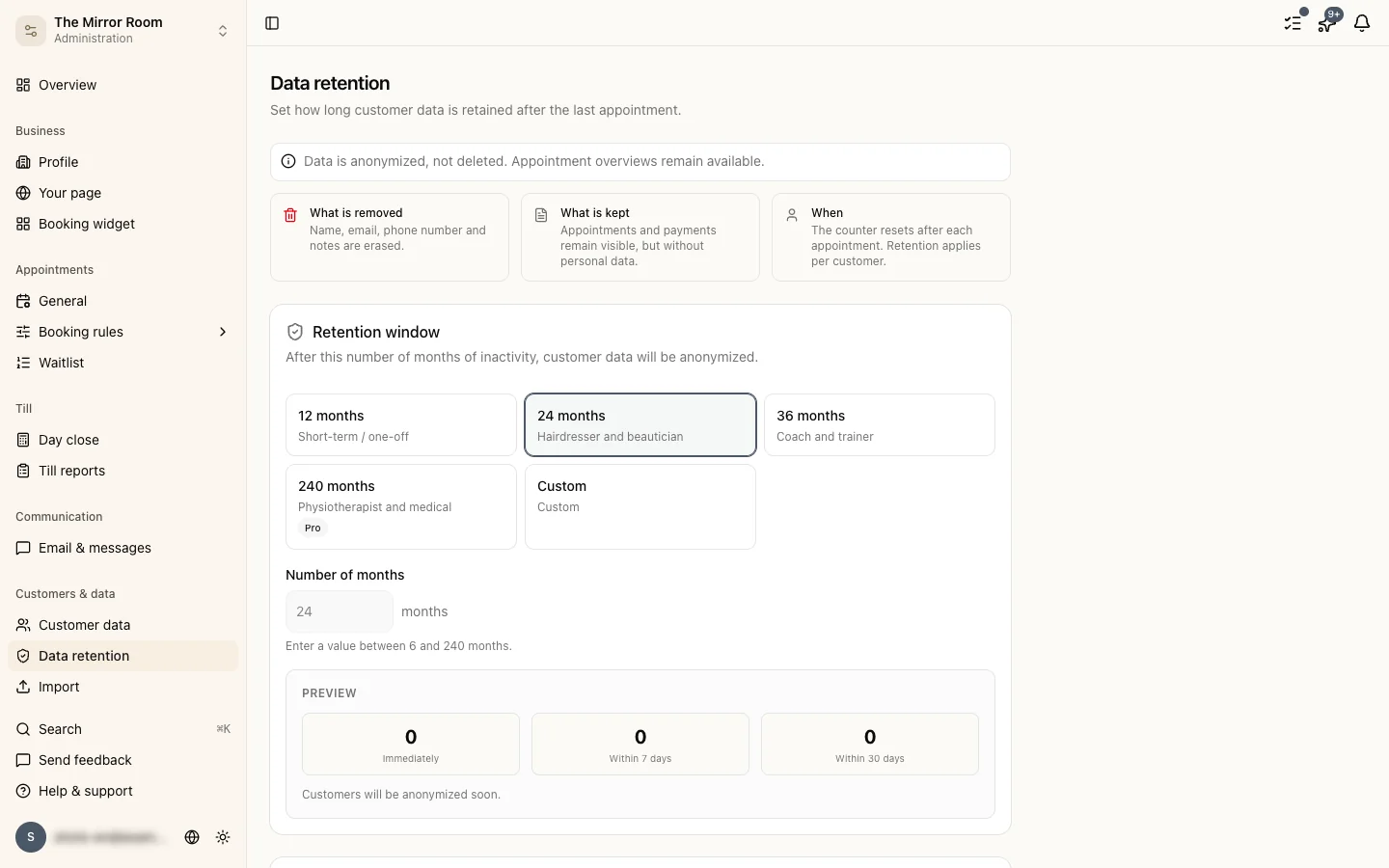
Go to Settings > Data retention.
The options
Pick one of the fixed periods (12, 24 or 36 months), or set your own. On the Starter plan only the fixed options are available.
What do you suggest for a salon?
The GDPR sets no fixed retention period for service businesses. 24 months is a common choice for salons and similar trades.
Telling the customer
Switch Notify the customer on and customers get an email before their data is anonymised. Available on the Groei and Pro plans.
The audit log
On the Pro plan there is an audit log under Customers > Audit log. It shows when data was anonymised and which customers it affected.
Careful when shortening the period
Shortening the retention period deletes data earlier than customers expect. Stippa asks you to confirm before saving a reduction. Customers who already fall outside the new period are anonymised on the next nightly run.