
Where do I find Analytics?
Go to Analytics in the sidebar. Analytics is available on the Groei and Pro plans.
Date range and filters
Use the date picker at the top to choose a period. You can also filter by staff member or by service to narrow the figures down.
The Overview tab
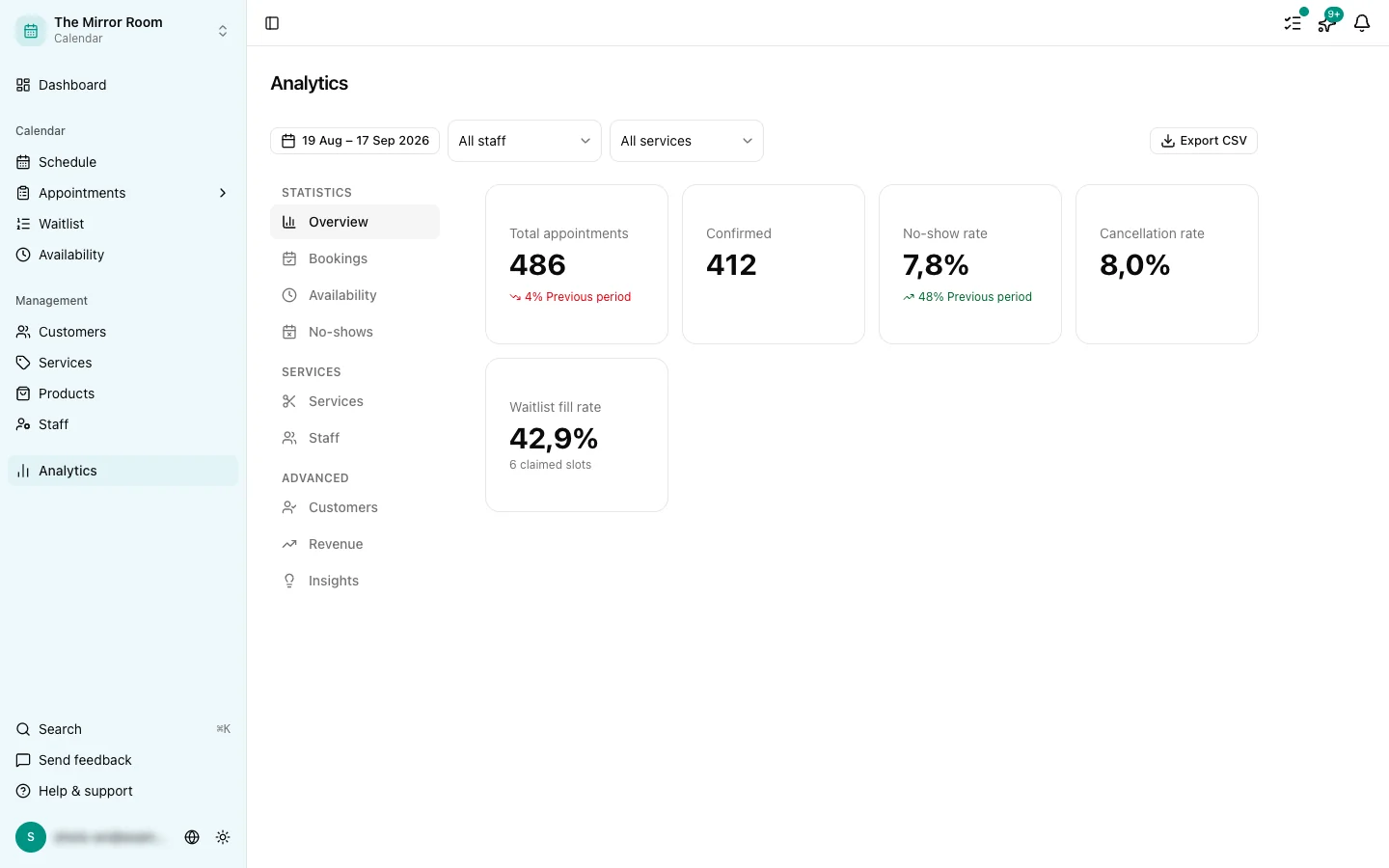
The overview tab shows the KPIs people look at most:
- Total appointments against the previous period, with a delta badge
- Confirmed appointments
- No-show rate: amber at 8% or more, red at 15% or more
- Cancellation rate
The Bookings tab
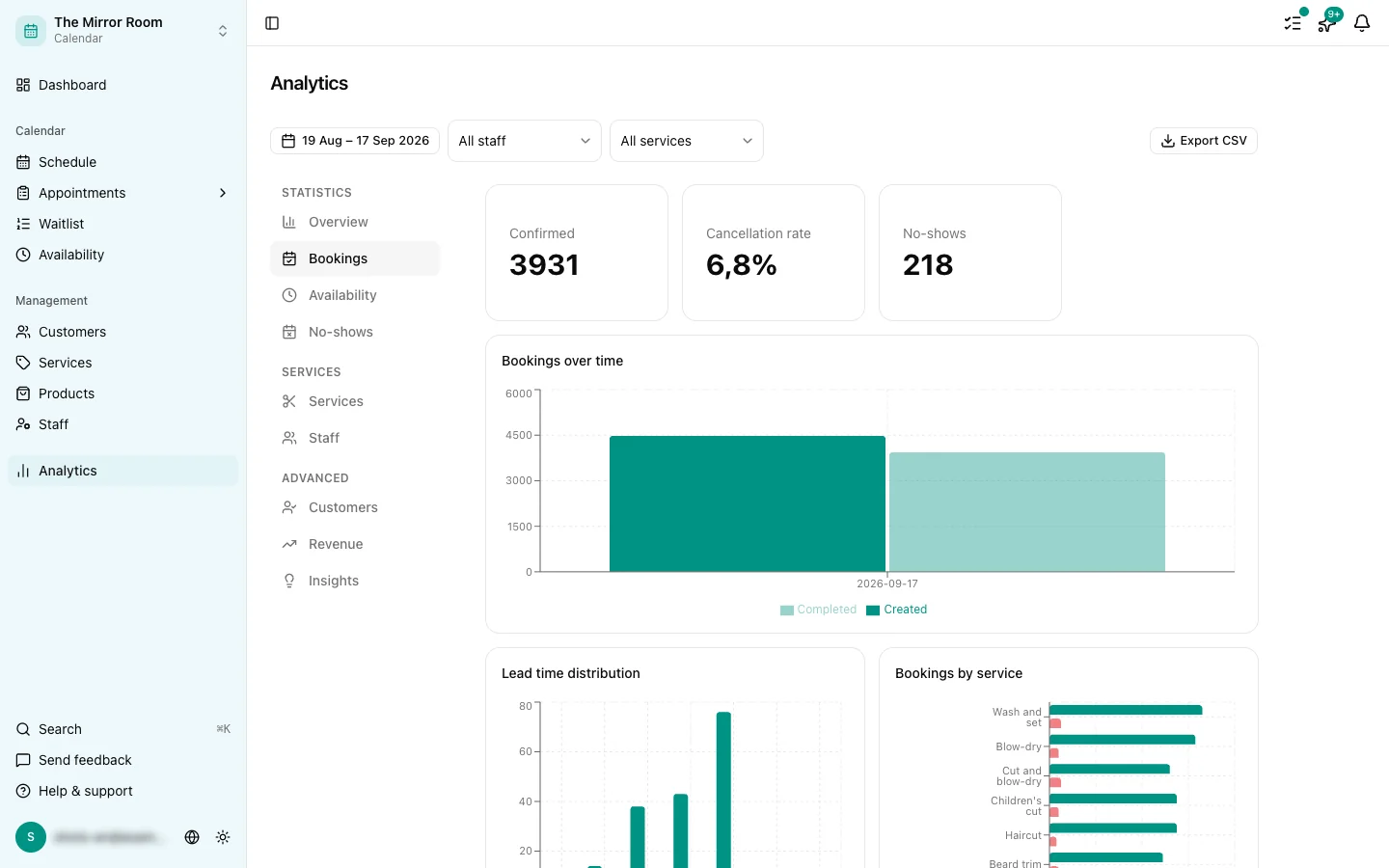
- Volume chart: how many appointments were made in the period you picked
- Heatmap of booking times: when do customers book most often?
- Average lead time: how far ahead do customers book?
The Revenue tab
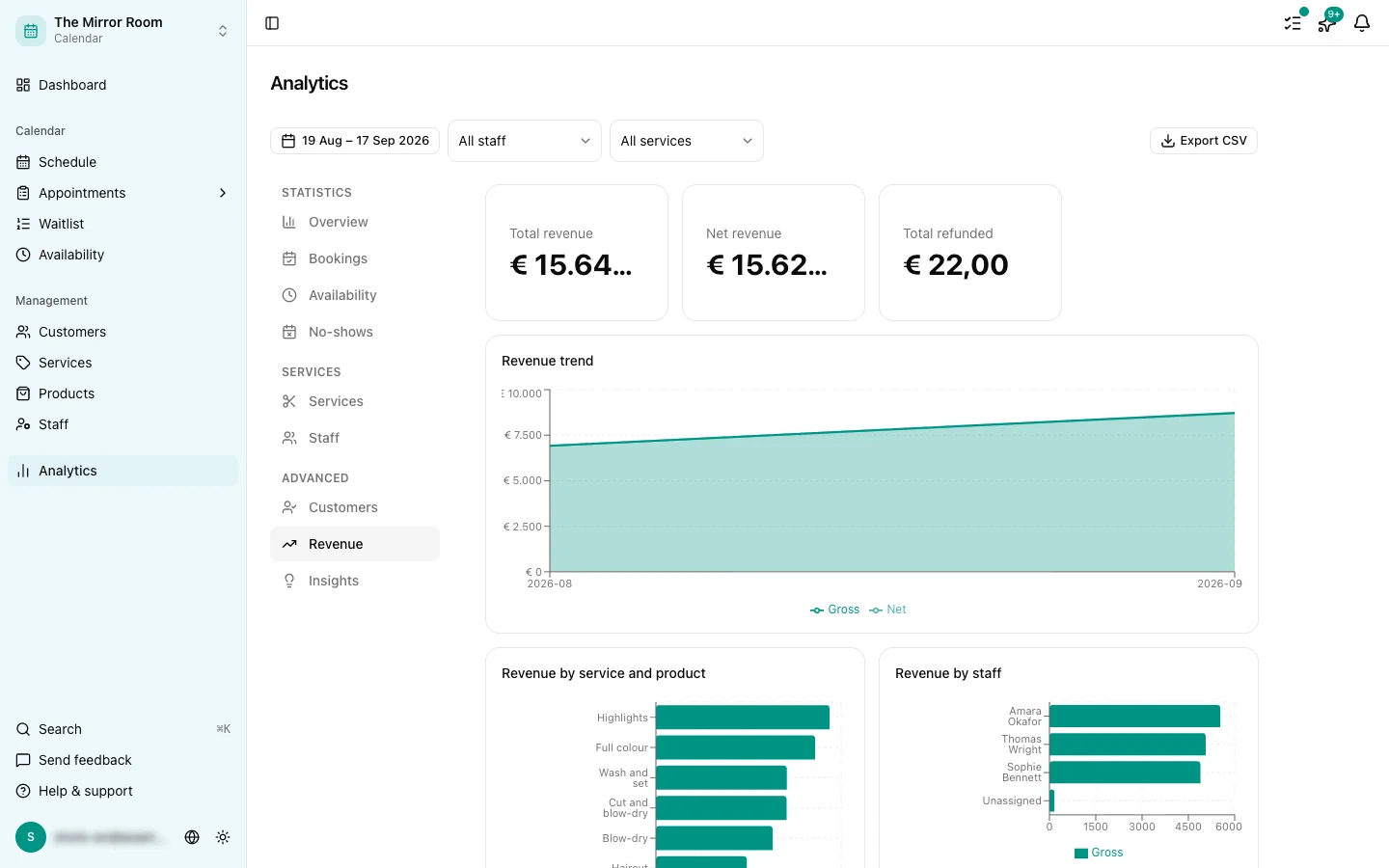
- Revenue over time
- The split per service
Revenue is worked out from the service price of confirmed appointments.
The Customers tab
- New against returning customers over the period you picked
The Staff tab
- How appointments are spread across your staff
- Utilisation per staff member
The Services tab
- Which services are the most popular, by number of bookings
The No-shows tab
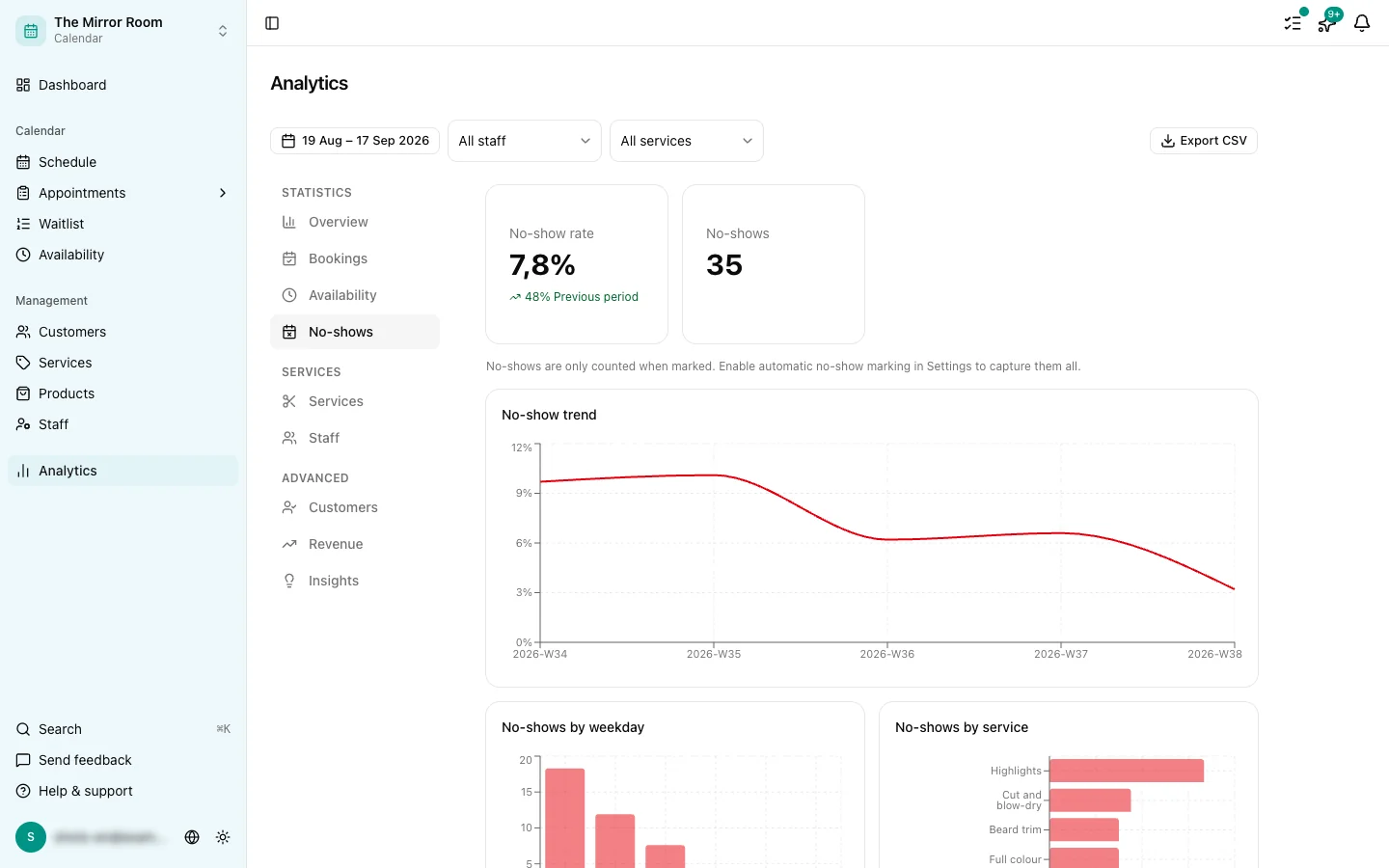
- The trend in no-shows over time
- Use this to act: turn reminders on, or set a cancellation deadline
Which plan do I need?
Basic analytics (Overview, Bookings, Customers) is available on the Groei plan. Extended analytics (Revenue, Staff, Services, No-shows) is available on Pro.